Every January, HSA holders receive Form 1099-SA reporting any money they took out of their Health Savings Account during the prior year. Then, four months later in May, Form 5498-SA arrives showing contributions. The 1099-SA vs 5498-SA timing gap creates predictable confusion: Do I need both to file? Can I wait for the 5498-SA? What if the numbers do not match? The answer is that each form serves a distinct purpose on different sections of Form 8889, and understanding this relationship eliminates the guesswork during tax season.
Form 1099-SA must reach you by January 31, while Form 5498-SA arrives by May 31. This is not an administrative delay - it is by design. HSA contributions for a tax year can be made until April 15 of the following year, so the 5498-SA deadline accommodates those last-minute contributions. You can file your taxes without the 5498-SA because the information you need is already on your W-2 and in your account records.
Form Delivery Timeline
- Form 1099-SA: Arrives by January 31 for distributions taken in 2025
- Form 5498-SA: Arrives by May 31, after the April 15 tax filing deadline
- Your W-2 (Box 12, Code W): Arrives by January 31 with employer contribution data
- Form 8889 filing: Due April 15, 2026 - you do not need to wait for the 5498-SA
Two Forms, Two Purposes: The Quick Comparison
Form 1099-SA reports distributions made from an HSA, while Form 5498-SA reports contributions to the account. Think of them as documenting opposite cash flows: money out versus money in.
Form 1099-SA reports distributions from Health Savings Accounts and Medical Savings Accounts, detailing whether withdrawals are taxable or qualified medical expenses. Your HSA administrator sends this to both you and the IRS if you took any distributions during the calendar year. The amount may have been a direct payment to the medical service provider or distributed to you.
Form 5498-SA works in reverse. It reports contributions to HSAs, Archer MSAs, and Medicare Advantage MSAs for each account holder during the tax year. It also reports the fair market value of the account as of December 31 of the tax year. This form tracks all money flowing into your HSA, including your contributions, employer contributions, and any rollovers.
The critical difference is what each form tells the IRS. The 1099-SA says "this person withdrew money" and leaves it to you to prove on Form 8889 whether that withdrawal was for qualified medical expenses. The 5498-SA says "this much money went into the account" and verifies contribution limits were respected.
Neither form goes directly on your tax return. Do not attach Form 5498-SA to your income tax return. Both are informational documents that help you complete Form 8889, which you do attach to your Form 1040.
Form 1099-SA: What It Reports and When It Arrives
Trustees must provide copies of Form 1099-SA to recipients by January 31 of the year following the distribution. For 2025 distributions, that means January 31, 2026. The January 31 recipient deadline cannot be extended.
Your 1099-SA contains five key boxes:
Box 1: Gross Distribution. Enter the total amount of the distribution, including any earnings separately reported in box 2. This is the total cash that left your HSA, regardless of what you spent it on. You are not required to determine the taxable amount of a distribution. Do not report a negative amount in box 1.
Box 2: Earnings on Excess Contributions. Enter the total earnings distributed with any excess HSA or Archer MSA contributions returned by the due date of the account holder's tax return. Include this amount in box 1. Most people see zero here unless they over-contributed and corrected it.
Box 3: Distribution Code. This code tells you and the IRS the type of distribution. Code 1 is a normal distribution. Code 2 indicates excess contribution removal. Codes 4 and 6 relate to death or disability. The code does not determine taxability - your use of the funds does.
Box 4: Fair Market Value on Date of Death. Only populated if the account holder died. For living account holders, this box stays blank.
Box 5: Not used. Leave blank.
You receive a separate 1099-SA for each type of distribution during the year. You will receive a separate 1099-SA for each type of distribution made during the tax year. The five distribution types are 1) normal; 2) excess contribution removal; 3) death; 4) disability; and 5) prohibited transaction. If you took three normal distributions and one excess contribution removal, expect two forms.
Good to Know
You will not receive a 1099-SA if you took no distributions. You will not receive this form if you did not take a distribution from your HSA in the prior year. No withdrawals means no form - but you still must file Form 8889 if contributions were made.
The 1099-SA does not tell you whether your distribution was taxable. That determination happens on Form 8889 Part II, where you report qualified medical expenses. The 1099-SA simply reports the fact that money left the account.
Form 5498-SA: What It Reports and Why It Arrives Late
File Form 5498-SA with the IRS on or before May 31 of the subsequent year for each person for whom you maintained an HSA during the calendar year. If May 31 falls on a Saturday, Sunday, or a legal holiday, you must file by the next day that is not a Saturday, Sunday, or a legal holiday. For 2025 contributions, expect your form by June 2, 2026 (since May 31, 2026 falls on Sunday).
The late arrival is deliberate. This later deadline accommodates HSA contributions made up to the April 15 tax filing deadline. You can contribute to your 2025 HSA until April 15, 2026, so the form capturing those contributions cannot be finalized until after that date.
Form 5498-SA contains six boxes:
Box 1: Employee or Self-Employed Person's Archer MSA Contributions. Enter the total contributions made by the employee or self-employed individual to the Archer Medical Savings Account in 2025 and through April 15, 2026, for the tax year 2025. For HSA holders, this box is typically blank.
Box 2: Total Contributions Made in 2025. Enter the total HSA or Archer MSA contributions made in 2025. Include any contribution made in 2025 for 2024. This box shows all money contributed during the calendar year, regardless of which tax year it was designated for.
Box 3: Total HSA or Archer MSA Contributions Made in 2026 for 2025. This captures contributions made between January 1, 2026 and April 15, 2026 that you designated for tax year 2025. The 5498-SA form is typically delivered the month after the tax filing deadline, allowing any contributions made in the current year for the prior year to be included. If you make additional HSA contributions for the prior year after the 5498-SA is issued, you will get an updated 5498-SA.
Box 4: Rollover Contributions. Enter rollover contributions to the HSA or Archer MSA received by you during 2025. This includes trustee-to-trustee transfers from another HSA and qualified HSA funding distributions from an IRA.
Box 5: Fair Market Value. Enter the fair market value of the account as of December 31, 2025. This number is critical for tracking growth and is used by the IRS for compliance monitoring.
Box 6: Checkbox. Check the required box to indicate whether the account is an HSA, Archer MSA, or MA MSA. Remember, if the participant has more than one type of account, you must file a separate form for each.
Important
You may not receive a 5498-SA if your account had zero activity. Generally, if a total distribution was made from an HSA during the year and no contributions were made for that year, you need not file Form 5498-SA nor furnish a statement to the participant. You will not get a 5498-SA form if you did not have contributions and your balance was zero dollars at the end of the year.
The form is informational only. This form is informational only and does not need to be filed with your income tax return. Keep it with your tax records as documentation of your contributions.
How 1099-SA Maps to Form 8889 Part II
Form 8889 has three parts, and the 1099-SA feeds directly into Part II, titled "HSA Distributions."
If your HSA made a distribution, you must file Form 8889 with Form 1040 even if you have no taxable income or any other reason for filing.
Here is the line-by-line mapping:
Line 14a: Total distributions you received in 2025 from all HSAs. Reconcile distributions line by line, match 14a to box 1 totals. Add up Box 1 from every 1099-SA you received. If you received three forms showing $500, $1,200, and $300, enter $2,000 on line 14a.
Line 14b: Distributions included on line 14a that were a return of excess contributions. This comes from Box 2 of Form 1099-SA. If you over-contributed in 2024, withdrew the excess plus earnings in 2025, and received a 1099-SA with code 2, report the distribution here. Do not include the earnings - those go on line 14a only.
Line 14c: Subtract line 14b from line 14a. This is your net distribution subject to the qualified expense test.
Line 15: Qualified medical expenses paid using HSA distributions. Part II reconciles all 1099-SA distributions, and line 15 is only for qualified medical expenses incurred after the HSA was established. This is the only line where the 1099-SA does not help you. You must have receipts and records proving you spent the withdrawn money on IRS-qualified medical expenses. The total on line 15 cannot exceed line 14c.
If line 15 equals line 14c, you are done with Part II. All distributions were for qualified expenses, so nothing is taxable. If line 15 is less than line 14c, the difference goes on line 16 as "Taxable HSA distributions" and flows to Schedule 1 (Form 1040), line 8f as taxable income.
Nonqualified distributions are taxable and usually carry a 20 percent additional tax unless you are 65, disabled, or deceased. If you are under 65 and used HSA money for non-qualified expenses, you owe both income tax on the amount and an additional 20% penalty. If any of the distributions meet any of the Exceptions to the Additional 20% Tax, check the box on line 17a. The additional 20% tax is entered on line 17b. Enter 20% of the distributions included on line 16 that are subject to the additional 20% tax.
Check if your distribution was for a qualified expense
How 5498-SA Maps to Form 8889 Part I
Part I of Form 8889 is titled "HSA Contributions and Deduction" and this is where the 5498-SA information becomes relevant - but not required.
Include on line 2 only those amounts you, or others on your behalf, contributed to your HSA for 2025. This includes contributions made in 2026 up to April 15, 2026 that were designated for 2025.
Here is the critical point: You do not need the 5498-SA to complete line 2. You need your own records of contributions you made directly, and you need your W-2.
Employer contributions made to an HSA are shown in box 12 (code W) on your Form W-2. Employer contributions for 2025 are made in 2026. Your W-2 arrives by January 31, 2026 - well before you need to file.
On Form 8889:
Line 2: HSA contributions you made for 2025. Do not include contributions that were already reported on your W-2, rollover contributions or employer contributions. Contributions to an employee's account through a cafeteria plan are treated as employer contributions and are not included. If you made direct contributions outside payroll, you must have records of those. Your HSA provider's website shows contributions by tax year even if the 5498-SA has not arrived.
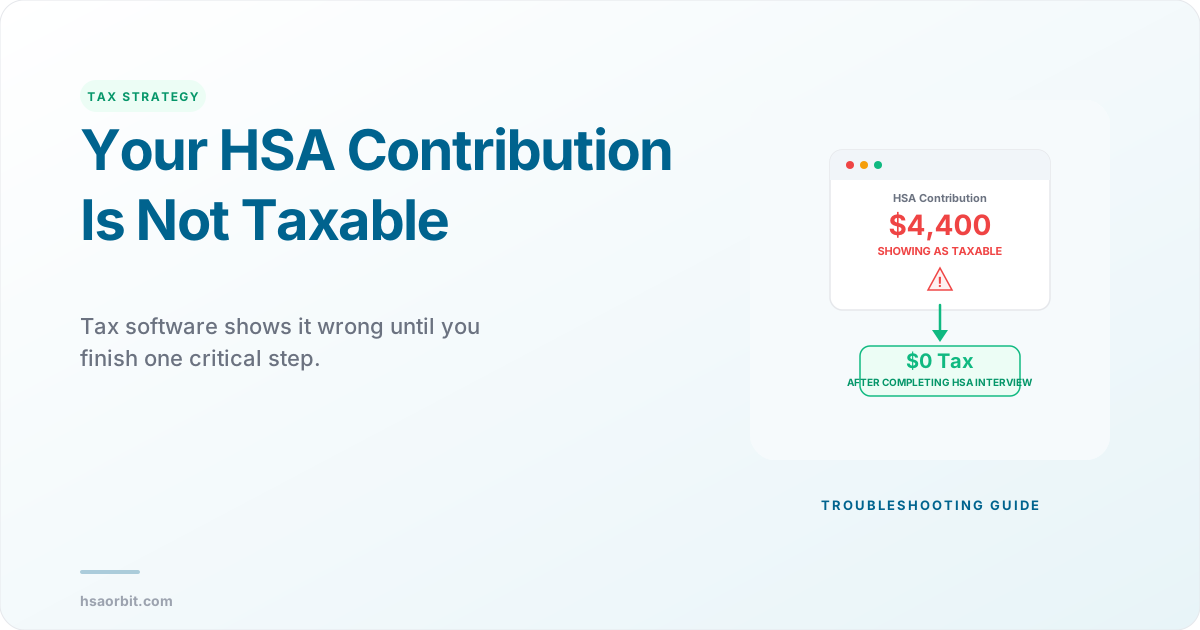
Line 9: Employer contributions made in 2025 to your HSA. Employer contributions for 2025 come directly from your W-2, Box 12, Code W. Copy that number to line 9. Employer contributions for 2025 are included in the amount reported in box 12 of Form W-2 with code W. We will automatically pull your employer contributions from your W-2 (Box 12 Code W). DO NOT enter amounts from your W-2 if using tax software - most programs auto-populate line 9 from your W-2 data.
Line 3: Contribution limit. For 2025, if you have self-only coverage, your maximum contribution is $4,300. If you have family coverage, your maximum contribution is $8,550. For 2026, if you have self-only coverage, your maximum contribution is $4,400. If you have family coverage, your maximum contribution is $8,750. If you are age 55 or older at the end of your tax year, you can make an additional contribution of $1,000. You compare your total contributions (line 2 plus line 9) to this limit.
The 5498-SA serves as a cross-check. Once it arrives in May or June, compare Box 2 plus Box 3 to the total you reported on Form 8889. You do not need the 5498-SA to file. You should be able to cross check the HSA transactions in your account with the code W amount. If they match, your W-2 is fine.
Pro Tip
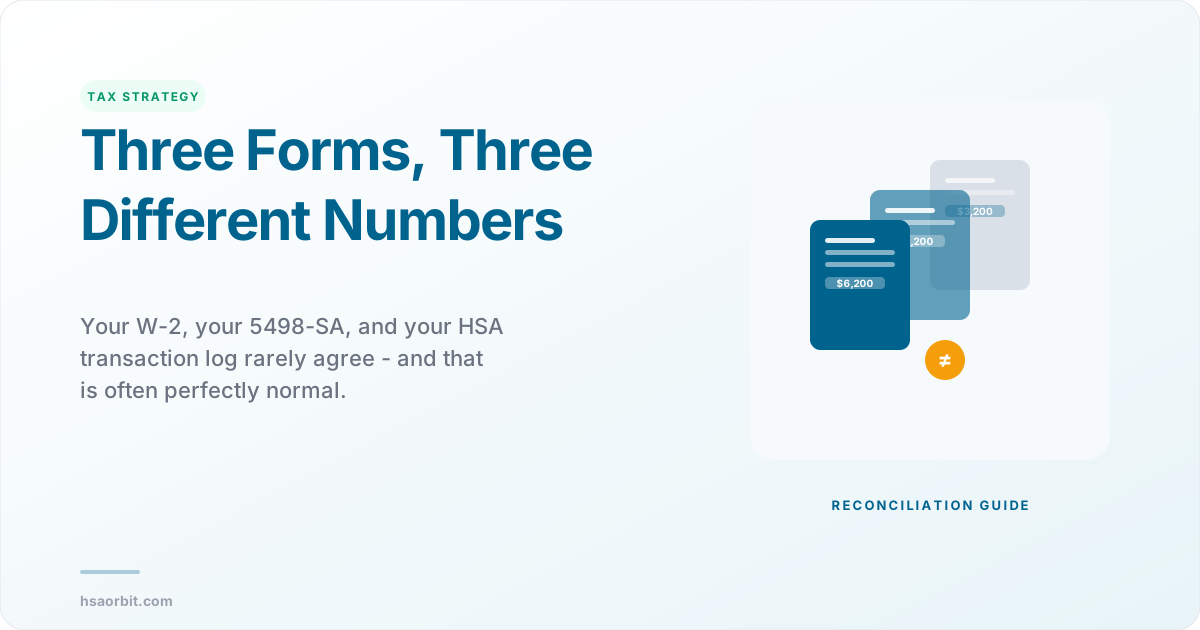
Why Box 2 and W-2 Box 12 often do not match. Box 2 on the 5498-SA often does not match the code W amount in box 12 on the W-2. The W-2 you receive from your employer in January should match Form 5498-SA unless you made contributions outside of your employer or after January 1, 2025. After-tax contributions will not appear on your W-2 but will be reflected on Form 5498-SA. The W-2 shows only payroll contributions. The 5498-SA shows all contributions from all sources. This is normal and expected.
Can You File Taxes Before Getting 5498-SA
Yes. Participants of an HSA do not have to file Form 5498-SA with their individual income tax return. Employees who participate in an HSA do not need to file Form 5498-SA with the IRS. The form is filed by your HSA administrator to the IRS, not by you.
For 2025, the annual HSA contribution limits are $4,300 for self-only and $8,550 for family coverage. For 2026, the limits are $4,400 for self-only and $8,750 for family coverage. If you are 55 or older by December 31, you can add a $1,000 catch-up. You already know these limits. You do not need the 5498-SA to tell you.
You have three sources of contribution data without the 5498-SA:
- Your W-2, Box 12, Code W - shows employer contributions made through payroll
- Your HSA provider's online portal - Log into your online account. Select Transaction Activity. Then go to View All. Go to the bottom of the page, and then select HSA Contributions By Tax Year. Every major HSA administrator provides a year-to-date contribution summary.
- Your own records - bank statements, confirmation emails, and receipts for any direct contributions you made outside payroll.
Add those three numbers. Compare the total to the contribution limit for your coverage type. If you are under the limit, report the amounts on Form 8889 Part I and file your return. The 5498-SA will arrive months later as confirmation.
If you made contributions in early 2026 designated for 2025 and want to claim the deduction, you must have documentation of those contributions. Your HSA provider will show pending or recent contributions online. For 2025, contributions may be made until April 15, 2026. Most providers let you designate the tax year when you contribute.
The April 15 tax filing deadline and the May 31 Form 5498-SA deadline create an awkward sequence, but the IRS designed it this way intentionally. Yes, that is after your annual tax filing deadline in mid-April. That is because you can make prior-year IRA contributions up until the federal tax filing deadline - and the same rule applies to HSA contributions.
Important
Do not wait for the 5498-SA if you are filing on time. The form is a confirmation document, not a required filing document. You have all the data you need from your W-2 and account records. File by April 15 using those sources. When the 5498-SA arrives, compare it to what you filed. If there is a discrepancy, determine the cause and file an amended return only if your original filing was incorrect.
Verify your contribution totals
What to Do When the Numbers Do Not Match
Discrepancies between forms happen. The 1099-SA vs 5498-SA relationship is straightforward, but mismatches between the 5498-SA and your W-2 create the most confusion.
Common Scenario 1: 5498-SA Box 2 is higher than W-2 Box 12 Code W. This is normal if you made direct contributions outside payroll. The 5498-SA form shows ALL contributions regardless of source - including what you contributed directly, what came from payroll deductions, and what your employer contributed. The W-2 only shows payroll contributions. Add your direct contributions to the W-2 amount. If that total matches the 5498-SA, you are fine.
Common Scenario 2: W-2 Box 12 Code W is blank but 5498-SA shows contributions. If she made her HSA contributions directly (not through payroll deduction), then they would not show up on her W-2. Instead, you would need to claim them as an "above-the-line" deduction on Schedule 1 of your tax return. Direct contributions bypass the W-2 entirely. Report them on Form 8889 line 2 as your contributions, not employer contributions.
Common Scenario 3: 5498-SA Box 2 includes contributions you made in January 2026 for 2025. If the last paycheck in December and thus the last HSA contribution for the year was actually paid in early January, the 2025 IRS form 5498-SA shows Box 2 (total contributions made in 2025) and Box 3 (total HSA contributions made in 2026 for 2025). Box 2 captures the calendar year cash movement. Box 3 captures the next-year contributions designated for the prior year. For Form 8889, you care about the tax year designation, not the cash movement date.
Common Scenario 4: Rollover contributions appear on the 5498-SA but you did not report them as contributions. Rollover contributions should instead be reported in Box 4 of the 5498-SA. Do not include rollover contributions when calculating your contribution limit. A trustee-to-trustee transfer from one HSA to another is not a contribution - it is a rollover. Rollovers do not count against your annual contribution limit and should appear only in Box 4.
Common Scenario 5: 1099-SA shows a distribution but you have no record of it. Check for returned excess contributions. Excess contribution removals are reported in the year in which the removal was made, not in which the excess was made. For example, if you made excess contributions in the prior year but remove the excess this year, you will get a current-year 1099-SA showing the removal. Even when the excess is removed, please note that the 5498-SA will always show the contribution. You may have over-contributed in 2024, corrected it in 2025, and now see both a 2025 1099-SA (the removal) and a 2025 5498-SA (showing the original contribution).
If the numbers genuinely do not reconcile after checking these scenarios, contact your HSA administrator. Correct any filed Form 1099-SA with the IRS and the account beneficiary as soon as you become aware of the error. Administrators can issue corrected forms. Do not file your tax return with numbers you know are wrong.
Good to Know
The IRS receives copies of both forms. The IRS will reach out to the associate for confirmation if the amount on the 5498-SA does not match W-2 box 12 code W. Yes. The employee will receive communication from the IRS requesting an explanation. The IRS computer systems compare your Form 8889 to the 1099-SA and 5498-SA on file. Large discrepancies without explanation trigger notices. Always report numbers you can support with documentation.
Frequently Asked Questions
Q: Do I attach the 1099-SA and 5498-SA to my tax return? No. Do not attach Form 5498-SA to your income tax return. Neither form gets attached. You attach Form 8889 to your Form 1040. Keep the 1099-SA and 5498-SA with your tax records as supporting documentation. The IRS receives copies of both directly from your HSA administrator.
Q: I received a 1099-SA but no 5498-SA. Is that a problem? You will not get a 5498-SA form if you did not have contributions and your balance was zero dollars at the end of the year. If you took distributions but made no contributions, you get only the 1099-SA. This is normal. File Form 8889 Part II to report the distributions and skip Part I if you had no contributions.
Q: What if I contributed in March 2026 for tax year 2025 but need to file my return in early April? For 2025, contributions may be made until April 15, 2026. Your HSA provider will give you a confirmation showing the contribution and the tax year designation. Use that confirmation to complete Form 8889 line 2. The 5498-SA will not arrive until May, but your confirmation is sufficient documentation. Make sure you designate the contribution for 2025 when you make it, or the provider will default it to 2026.
Q: Can I claim the HSA deduction if I only have my W-2 and no 5498-SA yet? Yes. You do not need the 5498-SA to file. The W-2 Box 12 Code W shows employer contributions, which are already excluded from your taxable income. Payroll deferral or employer pre-tax HSA contributions (up to the applicable limit) reported on Form W-2 as non-taxable are excluded from your gross income. If you made additional contributions outside payroll, report those on Form 8889 line 2 as a deduction. Use your bank records and HSA account statements as documentation.
Q: My 5498-SA shows $4,000 but my W-2 shows only $3,200. Did my employer make a mistake? The difference between your 5498-SA and W-2 Box 12W is totally normal. Your W-2 Box 12W shows pre-tax contributions made through your employer's payroll system. These are the HSA contributions that came directly out of your paycheck before taxes. Your Form 5498-SA shows the TOTAL contributions to your HSA for the year, which includes both your payroll contributions AND any direct contributions you made outside payroll. If you contributed an additional $800 directly to your HSA outside payroll, the math works: $3,200 (W-2) plus $800 (direct) equals $4,000 (5498-SA).
Written by
Michael is a Certified Public Accountant and IRS Enrolled Agent who has spent 12 years helping individuals and businesses navigate tax-advantaged health accounts. He leads HSA Orbit's tax strategy content.