The April 15 tax deadline creates a unique opportunity most people miss. If you had qualifying high-deductible health plan coverage during 2025 but did not max out your HSA contributions, you have until April 15, 2026 to make a prior year HSA contribution and still claim the tax deduction on your 2025 tax return. This extended contribution window can save you hundreds or even thousands in taxes, but only if you understand how to properly designate, contribute, and report these contributions. Unlike retirement accounts where the tax benefit comes later, HSA contributions give you an immediate deduction while the money grows tax-free and comes out tax-free for qualified medical expenses. The triple tax advantage makes HSAs one of the most powerful savings vehicles available, and the prior-year contribution rule gives you extra time to take full advantage.
Key 2025 Contribution Limits
For 2025, the annual HSA contribution limit is $4,300 for self-only coverage and $8,550 for family coverage. If you are age 55 or older at the end of the tax year, you can contribute an additional $1,000 as a catch-up contribution.
- Deadline: April 15, 2026 for 2025 tax year contributions
- Tax benefit: Reduces your 2025 taxable income dollar-for-dollar
- Important: You must have been HSA-eligible during 2025
What Is a Prior-Year HSA Contribution
A prior-year HSA contribution is a contribution you make to your Health Savings Account for 2025 through April 15, 2026. If you fail to be an eligible individual during 2025, you can still make contributions through April 15, 2026, for the months you were an eligible individual.
This extended contribution deadline mirrors the rule for traditional and Roth IRAs. The IRS allows you to make HSA contributions until the unextended tax filing deadline and designate them for the previous tax year. You may contribute to your 2025 HSA through April 15, 2026, or a later date if you served in a designated combat zone or contingency operation.
The key word here is "designate." When you make a contribution between January 1, 2026 and April 15, 2026, you must tell your HSA provider which tax year the contribution should count toward. Without this designation, the contribution will default to 2026, and you will lose the ability to claim the deduction on your 2025 return.
Prior-year contributions follow the same rules as contributions made during the calendar year. They reduce your taxable income for 2025, must stay within the annual contribution limits for 2025, and can only be made if you were HSA-eligible during 2025.
This strategy works particularly well for people who:
- Received a year-end bonus or tax refund in early 2026
- Underestimated their tax liability and need additional deductions
- Did not realize they could contribute more throughout the year
- Changed jobs mid-year and lost track of their total contributions
- Want to maximize retirement savings after maxing out 401(k) and IRA contributions
The April 15, 2026 Deadline: What You Need to Know
The last day to contribute for the 2025 tax year is April 15, 2026. This is a hard deadline. The IRS does not allow you to make additional contributions past April 15, even with a valid tax-filing extension.
If you file for an extension to October 15, 2026, that extension gives you more time to file your tax return, but it does not extend the contribution deadline. Your HSA contribution for 2025 must be in your account by April 15, 2026, regardless of when you file your return.
You generally have until the federal income tax filing deadline to contribute to an HSA. In most tax years, this is on or around April 15. If April 15 falls on a weekend or federal holiday, the deadline moves to the next business day. This deadline is typically April 15 unless that date falls on a Saturday, Sunday or legal holiday, then the deadline is extended to the next business day. Individuals eligible for only a portion of the previous year may still contribute up to the contribution deadline.
The contribution must be received by your HSA custodian by the deadline. If you mail a check, it must be postmarked by April 15. If you contribute electronically, the transaction must be completed (not just initiated) by April 15. Different HSA providers have different cut-off times for same-day processing, so do not wait until the last minute.
Why April 15 Matters for Tax Strategy
The prior-year contribution deadline creates a strategic opportunity. After you receive your W-2 and calculate your 2025 tax liability in early 2026, you can make additional HSA contributions to reduce that liability before you file your return.
For example, if you discover in March 2026 that you owe $2,000 in federal taxes and you are in the 22% tax bracket, making a $9,000 prior-year contribution (assuming you have family coverage and have not yet contributed) would save you approximately $1,980 in federal taxes, plus any state income tax savings.
You can file your 2025 tax return before April 15, 2026 and still make prior-year contributions after you file, but most people find it easier to make the contribution first, then file the return with the complete contribution information.
How Much Can You Still Contribute for 2025
For 2025, if you have self-only HDHP coverage, you can contribute up to $4,300. If you have family HDHP coverage, you can contribute up to $8,550. If you are an eligible individual who is age 55 or older at the end of your tax year, your contribution limit is increased by $1,000. For example, if you have self-only coverage, you can contribute up to $5,300 (the contribution limit for self-only coverage ($4,300) plus the additional contribution of $1,000).
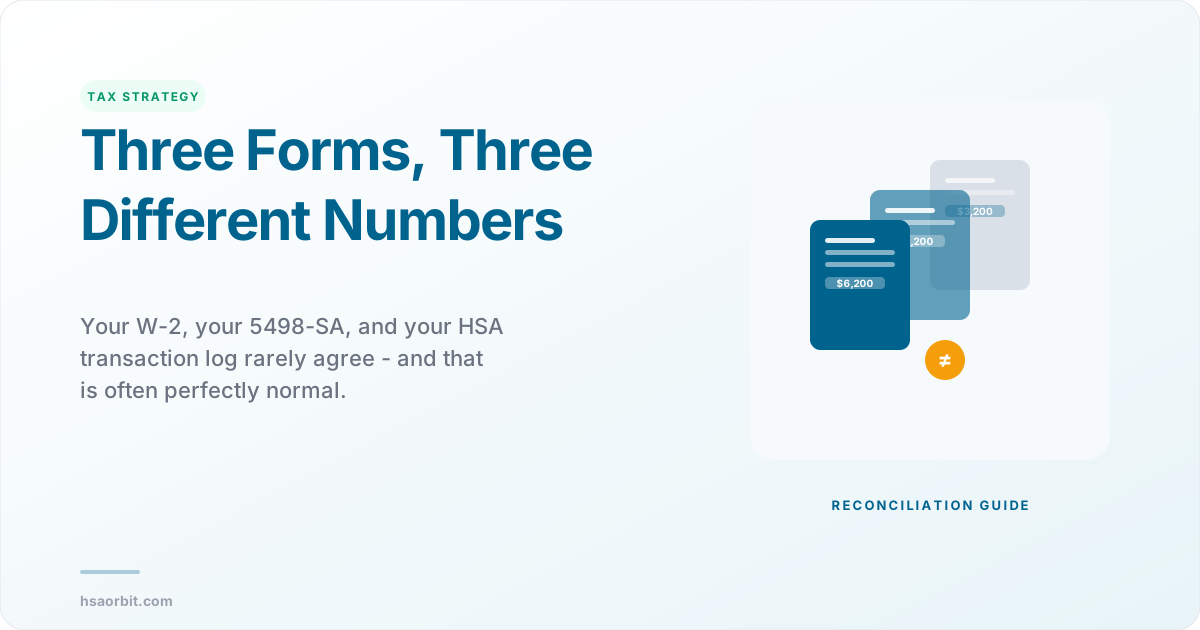
The annual limit includes all contributions from all sources: your own direct contributions, payroll deductions, and employer contributions. Employer contributions (including employee payroll contributions through a cafeteria plan) include any amount an employer contributes to any HSA for you for 2025. Also, include contributions made by a health insurance plan on an employer's behalf. These contributions should be shown on Form W-2, box 12, code W.
To determine how much you can still contribute for 2025, you need to:
- Check your W-2, box 12, code W to see your total employer and payroll contributions for 2025
- Review your HSA account statements to see any direct contributions you made in 2025
- Subtract your total 2025 contributions from your applicable limit
- The difference is your remaining contribution room
Calculate your remaining contribution room for 2025
Prorated Limits for Partial-Year Coverage
The amount you or any other person can contribute to your HSA depends on the type of HDHP coverage you have, your age, the date you become an eligible individual, and the date you cease to be an eligible individual.
If you were not HSA-eligible for the full year, your contribution limit is prorated by the number of months you were eligible. For example, if you had self-only coverage for 7 months in 2025 and were not eligible for the other 5 months, your prorated limit would be approximately $2,508 ($4,300 x 7/12).
However, there is an important exception called the last-month rule. You may consider yourself an "eligible individual" for the entire year if you are an eligible individual on the 1st day of the last month of the tax year (December 1, for most individuals).
If you were HSA-eligible on December 1, 2025, you can contribute the full annual amount for 2025, even if you were only eligible for one month. But there is a catch: You are then subject to a "testing period". The testing period begins with the last month of your tax year and ends on the last day of the 12th month following that month (for example, December 1, 2025 - December 31, 2026). If you fail to remain an eligible individual during this period, other than because of death or becoming disabled, you will have to include in income the total contributions made that would not have been made except for the last-month rule.
Contribution Limits Changed Mid-Year
If you changed from self-only to family coverage (or vice versa) during 2025, your contribution limit is calculated differently. You must use the Line 3 Limitation Chart and Worksheet in the Form 8889 instructions to calculate your limit based on the type of coverage you had on the first day of each month.
Important
Excess contribution penalty. Generally, you must pay a 6% excise tax on excess contributions. See Form 5329, Additional Taxes on Qualified Plans (Including IRAs) and Other Tax-Favored Accounts, to figure the excise tax. The excise tax applies to each tax year the excess contribution remains in the account. If you accidentally over-contribute, contact your HSA provider immediately to remove the excess before the tax filing deadline.
Step-by-Step: Making a Prior-Year Contribution
Making a prior-year HSA contribution requires precision. Follow these steps to ensure your contribution is properly designated and reported:
Step 1: Verify Your 2025 Eligibility
Before making a prior-year contribution, confirm you were HSA-eligible during 2025. You must have been covered under an HSA-qualified high-deductible health plan and had no disqualifying coverage (such as a general-purpose health FSA or Medicare).
For 2025, this means: It has an annual deductible of at least $1,650 for self-only coverage and $3,300 for family coverage. Its out-of-pocket maximum including annual deductible does not exceed $8,300 for self-only coverage and $16,600 for family coverage.
Step 2: Calculate Your Remaining Contribution Room
Gather your contribution records:
- Form W-2, box 12, code W (employer and payroll contributions)
- HSA account statements showing direct contributions made in 2025
- Any contributions from family members or other sources
Add up all contributions from all sources, then subtract from your 2025 limit ($4,300 for self-only, $8,550 for family, plus $1,000 if age 55 or older).
Step 3: Contact Your HSA Provider
Before making the contribution, call or log into your HSA provider's website and ask how to designate a contribution for the prior tax year. Different providers have different procedures:
- Some have a specific option when you make an online contribution
- Others require you to mail a form with your check
- Some need you to call after making the contribution to change the designation
Contributions made between January 1 and April 15, 2026 must be clearly designated for the 2025 tax year when deposited. Without this designation, your contribution will default to 2026.
Step 4: Make the Contribution
Transfer the funds to your HSA before April 15, 2026. You can contribute via:
- Electronic transfer from your bank account
- Check mailed to your HSA provider
- Payroll deduction (if your employer allows and you work there before the deadline)
Get confirmation that the contribution was received and properly designated for 2025. Save this confirmation with your tax records.
Step 5: Keep Documentation
Create a file with:
- Confirmation from your HSA provider showing the contribution amount and date
- Documentation that the contribution was designated for 2025
- Your calculation of remaining contribution room
- Account statements showing the deposit
You will need this information when you complete Form 8889, and you may need it if the IRS ever questions your HSA deduction.
Pro Tip
Pro tip for married couples. If you and your spouse are both age 55 or over, not enrolled in Medicare, and otherwise eligible, you each can make $1,000 HSA catch-up contributions, but you must do so in separate HSAs. If you have family coverage, you can split the $8,550 base limit between your two HSAs however you choose, but each spouse must contribute their own $1,000 catch-up to their own account.
How to Report Prior-Year Contributions on Form 8889
Every taxpayer who makes or receives HSA contributions must file Form 8889 with their federal tax return. This form calculates your HSA deduction, reports distributions, and catches excess contributions.
You must file Form 8889 if any of the following applies. You, your employer, or someone else made contributions to your HSA. Your HSA made a distribution.
Part I: HSA Contributions and Deduction
Include on line 2 only those amounts you, or others on your behalf, contributed to your HSA for 2025. Also, include amounts contributed for 2025 made in 2026 by the unextended deadline for filing your 2025 federal income tax return, April 15, 2026.
Line 2 is where you report your prior-year contribution. This line includes:
- All direct contributions you made in 2025
- Direct contributions you made between January 1 and April 15, 2026 that were designated for 2025
- Contributions made by family members or others on your behalf
Do not include employer contributions (see line 9) or amounts rolled over from another HSA or Archer MSA. See Rollovers, earlier. Also, do not include any qualified HSA funding distributions (see line 10). Payroll contributions through a salary reduction agreement elected by an employee (a cafeteria plan) are treated as employer contributions and are not included on line 2.
Lines 3-8 calculate your contribution limit based on your coverage type and the number of months you were eligible.
Line 9 is where employer contributions appear. Employer contributions (including employee payroll contributions through a cafeteria plan) include any amount an employer contributes to any HSA for you for 2025. Also, include contributions made by a health insurance plan on an employer's behalf. These contributions should be shown on Form W-2, box 12, code W. If your employer made contributions for 2025 in early 2026, you may need to use the Employer Contribution Worksheet in the Form 8889 instructions.
Line 13 shows your actual HSA deduction, which you then report on Schedule 1 (Form 1040), line 13, and it flows to Form 1040 as an adjustment to income.
What If You Over-Contributed?
Generally, enter the smaller of line 2 or line 12 on line 13 and on Schedule 1 (Form 1040), Part II, line 13. However, if the amount on line 2 is more than the amount on line 13, you, your employer, or someone else contributed more to your HSA than is allowable and you may have to pay an additional tax on the excess contributions. Figure the excess contributions using the following instructions. See Form 5329, Additional Taxes on Qualified Plans (Including IRAs) and Other Tax-Favored Accounts, to figure the additional tax.
However, you can withdraw some or all of your excess contributions for 2025 and they will be treated as if they had not been contributed if: You make the withdrawal by the due date, including extensions, of your 2025 tax return.
If you discover an excess contribution before April 15, contact your HSA provider immediately to request a "return of excess contribution." They will calculate and withdraw the excess amount plus any earnings attributable to it. If you timely filed your return without withdrawing the excess contributions, you can still make the withdrawal no later than 6 months after the due date of your tax return, excluding extensions. If you do, file an amended return with "Filed pursuant to section 301.9100-2" written at the top. Include an explanation of the withdrawal.
Form 5498-SA and Timing
Many people get confused about Form 5498-SA and when they need it to file their taxes. The short answer: you do not need to wait for Form 5498-SA to file your return.
You should include all contributions made for 2025, including those made from January 1, 2026, through April 15, 2026, that are designated for 2025. You should receive Form 5498-SA, HSA, Archer MSA, or Medicare Advantage MSA Information from the trustee showing the amount contributed to your HSA during the year. Your employer's contributions will also be shown on Form W-2, box 12, code W.
Form 5498-SA is an informational form that reports contributions to the IRS, but it typically is not issued until May (after the April 15 contribution deadline). You should report your contributions on Form 8889 based on your own records, not wait for Form 5498-SA.
For more detailed guidance on HSA tax forms, see our article on Form 8889 line-by-line instructions.
Prior-Year Contributions and Tax Software
Most major tax software programs (TurboTax, H&R Block, TaxAct, FreeTaxUSA) support prior-year HSA contributions, but you need to know where to find the right input fields.
If you are using tax software like TurboTax or H&R Block, they usually have specific fields for prior year HSA contributions. Do not just enter it as a regular contribution or the software might apply it to the wrong tax year.
How Tax Software Handles HSAs
The truth is that the TurboTax software and the H & R Block software are written differently and you cannot compare the two outcomes until the entire tax return is complete. The TurboTax software adds your Health Savings Account (HSA) contributions to your income until you have verified in another section that you were indeed eligible to make those contributions. The H & R Block software is seemingly making the assumption that you are eligible and would presumably add the contributions to income if it was later determined you were ineligible.
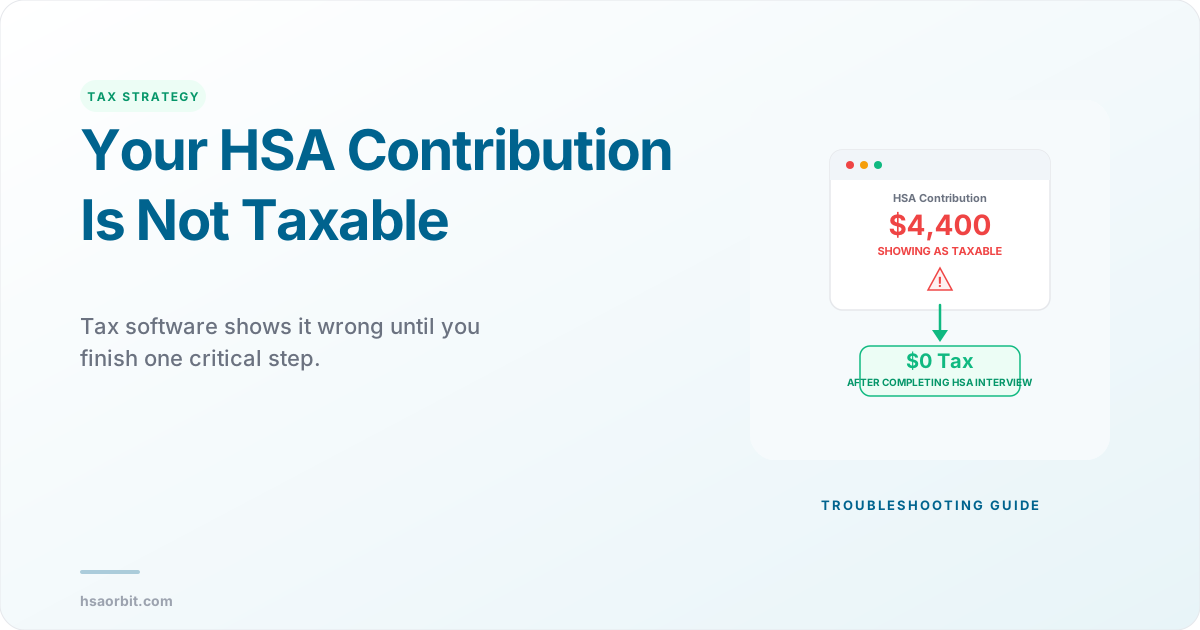
Do not panic if you see your tax refund decrease or tax owed increase after entering your W-2. Entering your HSA is a two-step process in TurboTax, so you just have to keep going. HSA information is entered in 2 sections of TurboTax. First in Wages & Income as a W-2, 12 code W. But then you have to also enter it in the Deduction & Credits section under HSA, MSA Contributions too.
Step-by-Step: TurboTax
- Import or enter your W-2. This includes employer HSA contributions in box 12, code W
- Navigate to Deductions & Credits, then Medical, then Health Savings Account (HSA)
- Answer questions about your HDHP coverage and eligibility
- When asked about contributions, look for a question like "Did you make any contributions directly to your HSA?" or "Did you contribute to your HSA outside of payroll?"
- Enter your direct contributions, including any prior-year contributions made between January 1 and April 15, 2026
- The software will ask you to confirm the tax year for contributions made in 2026. Select 2025 for prior-year contributions
- Review Form 8889 to ensure line 2 includes your prior-year contributions
TurboTax will calculate if you have made excess contributions. If you did, TurboTax will generate Form 5329 to report the excess contributions as well as the additional 6% tax.
Step-by-Step: H&R Block and Other Software
The process is similar in other tax software programs:
- Enter your W-2 information in the income section
- Navigate to the deductions or tax breaks section
- Look for Health Savings Account or HSA
- Answer eligibility questions
- Enter contributions not shown on your W-2
- Specify which tax year the contribution applies to
Most programs have a help function or chatbot that can guide you to the HSA section if you cannot find it.
Common Software Errors to Avoid
Double-counting employer contributions. Your employer contributions are already on your W-2, box 12, code W. Do not enter them again when the software asks about direct contributions. One common point of confusion is that contributions made via payroll deduction and additions made by your employer (if any) will be combined in Box 12 of your W-2 with code "W".
Entering the wrong tax year. If you made a contribution in March 2026, the default assumption is that it counts for 2026. You must explicitly tell the software it is for 2025.
Not including prior-year contributions at all. Some people make a prior-year contribution in March 2026, forget about it, and only report contributions made during the 2025 calendar year. This causes them to miss the deduction they are entitled to.
Forgetting to adjust for coverage changes. If you switched from self-only to family coverage mid-year, you cannot just select one coverage type. You need to complete the monthly calculation worksheet, which most software will do if you answer the coverage questions correctly.
See how your contribution could grow over time
Common Mistakes With Prior-Year Contributions
Even experienced HSA users make errors with prior-year contributions. Here are the most common mistakes and how to avoid them:
Mistake 1: Not Designating the Contribution for the Prior Year
This is the number one error. You make a contribution in March 2026 assuming it will count for 2025, but you never told your HSA provider. The contribution gets coded as a 2026 contribution, and you miss the 2025 deduction.
Solution: Always confirm the designation in writing. Get a receipt or confirmation email that specifically states "2025 tax year contribution." If you made a contribution without designating it, call your HSA provider immediately. Most will let you re-designate if you catch it quickly.
Mistake 2: Including Payroll Contributions on Line 2 of Form 8889
Payroll contributions through a salary reduction agreement elected by an employee (a cafeteria plan) are treated as employer contributions and are not included on line 2. They go on line 9.
Your W-2, box 12, code W includes both your payroll contributions and your employer's contributions. The entire amount goes on line 9 of Form 8889. If you also enter payroll contributions on line 2, you will double-count them.
Solution: Look at your W-2 carefully. Box 12, code W = employer contributions (line 9). Direct contributions you made by check or electronic transfer from your bank = line 2.
Mistake 3: Exceeding the Contribution Limit
Any excess contribution remaining at the end of a tax year is subject to the excise tax. See Form 5329. The 6% penalty continues every year until you remove the excess.
People often exceed limits when they:
- Change jobs mid-year and both employers contribute
- Forget about prior-year contributions they made last April
- Miscalculate their limit due to coverage changes
- Do not realize catch-up contributions are per person, not per account
Solution: Before making a prior-year contribution, create a spreadsheet listing every contribution source and verify the total is below your limit. Remember that employer contributions count toward your limit.
Mistake 4: Making a Contribution When Not Eligible
You must have been HSA-eligible during 2025 to make a 2025 contribution (including prior-year contributions made by April 15, 2026). People lose eligibility when they:
- Enroll in Medicare (even just Part A)
- Get covered by a spouse's non-HDHP plan
- Sign up for a general-purpose health FSA
- Are claimed as a dependent on someone else's tax return
If you made contributions while ineligible, those are excess contributions subject to the 6% penalty, and the distributions are taxable plus a 20% penalty.
Solution: Review your coverage for all of 2025. If you lost HSA eligibility at any point, you may need to prorate your contributions. See our eligibility checker for a detailed analysis of your situation.
Mistake 5: Forgetting the Testing Period for Last-Month Rule
If you became HSA-eligible on December 1, 2025 and contributed the full annual amount, you triggered the testing period. If contributions were made to your HSA based on you being an eligible individual for the entire year under the last-month rule, you must remain an eligible individual during the testing period. You fail to be an eligible individual in June 2026. Because you did not remain an eligible individual during the testing period (December 1, 2025, through December 31, 2026), you must include in your 2026 income the contributions made for 2025 that would not have been made except for the last-month rule.
This means if you become ineligible in June 2026 (for example, by enrolling in Medicare), you must include the excess contributions in your 2026 income and pay a 10% additional tax.
Solution: If you used the last-month rule to make a full-year contribution, put a reminder in your calendar for December 31, 2026. You must remain HSA-eligible for the entire 13-month testing period.
Mistake 6: Not Keeping Records
I learned this the hard way last year when the IRS questioned my HSA deduction because the 5498-SA form from my provider had incorrect information. Having my receipt with the "prior year contribution" clearly marked saved me from a potential audit.
HSA recordkeeping errors are common. Providers sometimes code contributions incorrectly, Form 5498-SA reports the wrong amounts, or contributions appear in the wrong tax year.
Solution: Keep every contribution confirmation, account statement, and tax form related to your HSA for at least seven years. If the IRS questions your return, you will need documentation proving when you made each contribution and which tax year it was designated for.
Important
State tax considerations. California and New Jersey do not recognize HSA tax benefits, so prior-year contributions do not reduce your state taxable income in those states (though they still reduce federal taxable income). Alabama taxes HSA earnings. Check your state's rules or consult a tax professional if you have questions.
Frequently Asked Questions
Q: Can I make a prior-year contribution after I have already filed my 2025 tax return? Yes, as long as you make the contribution by April 15, 2026. If you file your return in February 2026 and then make a prior-year contribution in March 2026, you will need to file an amended return (Form 1040-X) to claim the additional deduction. Most tax professionals recommend making the contribution first, then filing your return with the complete information.
Q: Do I have to contribute by April 15, or does a postmark by April 15 count? For mailed checks, the postmark date controls. This deadline is typically April 15 unless that date falls on a Saturday, Sunday or legal holiday, then the deadline is extended to the next business day. For electronic contributions, the transaction must be completed by April 15. Do not wait until the last day because processing issues could cause you to miss the deadline.
Q: What if I did not have HDHP coverage for the full year in 2025? Your contribution limit is prorated based on the number of months you were eligible, unless you qualify for the last-month rule. You may consider yourself an "eligible individual" for the entire year if you are an eligible individual on the 1st day of the last month of the tax year (December 1, for most individuals). Use the worksheet in the Form 8889 instructions to calculate your prorated limit.
Q: Can I contribute to someone else's HSA as a gift? Any eligible individual can contribute to an HSA. For an employee's HSA, the employee, the employee's employer, or both may contribute to the employee's HSA in the same year. For an HSA established by a self-employed (or unemployed) individual, the individual can contribute. Family members or any other person may also make contributions on behalf of an eligible individual. The recipient gets the tax deduction, not the person who made the contribution. All contributions count toward the recipient's annual limit.
Q: What happens if my employer contributes for 2025 after I have already maxed out my limit with a prior-year contribution? You will have excess contributions and must either (1) withdraw the excess plus earnings by your tax filing deadline, or (2) pay a 6% excise tax on the excess. This is why it is critical to coordinate with your employer before making a prior-year contribution if there is any chance they will make a contribution for 2025 in early 2026. Enter employer contributions made in 2026 for tax year 2025. Employer contributions for 2025. Add lines 3 and 4. Enter here and on your 2025 Form 8889, line 9.
Q: If I make a prior-year contribution, when can I spend it on medical expenses? Immediately. Once the money is in your HSA, you can use it for qualified medical expenses, regardless of which tax year the contribution was designated for. For HSA purposes, expenses incurred before you establish your HSA are not qualified medical expenses. State law determines when an HSA is established. An HSA that is funded by amounts rolled over from an Archer MSA or another HSA is established on the date the prior account was established. If, under the last-month rule, you are considered to be an eligible individual for the entire year for determining the contribution amount, only those expenses incurred after you actually establish your HSA are qualified medical expenses.
Written by
David is a licensed attorney and SHRM Senior Certified Professional who covers HSA compliance, IRS regulations, and employer benefits law. He previously practiced employee benefits law at a national firm.